
What use is PSP X3 when it randomly deletes pixels?
APRIL, 2011: This bug has been fixed — the patch is part of PSP Service Pack 5.
I bought PaintShop Photo Pro X3 Ultimate a short while ago. I’m getting concerned by the number of words Corel keeps adding to my favorite graphics editor product title, but they haven’t failed me in the 15 years I’ve been a faithful PaintShop Pro user.
Last week I sat down & started rather happily editing a raster layer. I may have even been whistling “Paris / Ooh La La” by Grace Potter & the Nocturnals. I made a selection using the rectangle select tool, no feathering or anti-aliasing or anything special. Dragged it over a bit, then deselected. The bottom ~3 rows of pixels promptly disappeared.
I couldn’t believe it. I quickly scanned the select tool options for the “randomly cut off bottom pixels” feature Corel had no doubt added to PSP X3 Ultimate. No suck luck.
Unfortunately this makes Paint Shop Pro X3 Ultimate …. well, for lack of a better term, TOTALLY FUCKING USELESS!!
I headed over to the Corel forums where I was disheartened to find several other posts about this bug. Someone even took the time in that 2nd link to make a video. The 3rd link has 4 pages of deselect bug complaints, dating back to April 2010 (!!)
Apparently Corel hasn’t fixed this deselect bug with the 4 service packs released so far for Paint Shop Pro X3.
I contacted their support team through email. The advice came back to “reset my workspace”. That makes sense right? Because there’s that awesomely useful workspace option that cuts off pixels on deselection? You guessed it, resetting workspace didn’t change a thing, except now I’m even more annoyed that I have to set up my workspace again! But then again, hey, why bother until after they fix the whole pixel deleting thing?
I fired off a reply with the forum links to Corel Support this morning. Can’t wait to see how they respond. Honestly, I expect more from a Canadian company.
Clearly I should have bought the less-ultimate version.
UPDATE FROM JANUARY 21st, 2011: After not receiving any further response, I called Corel this morning. Their phone system said to expect hold time of under 20 minutes. I was on hold for 46 minutes. They loop one song. When I was finally got through, the support tech immediately acknowledged the issue & although they couldn’t give me even a ballpark idea when a patch might be ready, they did say it was a very high priority for their dev team. Also said they’d contact me when the fix is released. Very nice of them.
Two hours later, an email popped up from a Corel Senior Project Manager — he sent me a beta patch to try. It solved the bug perfectly. Now we’re getting somewhere. It still amazes me how PSP Photo X3 was able to ship with such a basic flaw, but I guess it happens.
UPDATE FROM FEBRUARY 1st, 2011: Just received this from the Corel rep.
I’m working with the support team right now to release an Interim Patch with just this hot fix in it. It should be available by the end of the week and I’ll let everyone know about the KB article at that time. Again, we will roll it into the full Patch later but this will get it out for more people.
I’ll make sure to post the link to the public interim patch when it becomes available. Nice to see Corel is being proactive about this. Better late than never!
UPDATE FROM APRIL 1st, 2011: FIXED!! No April Fools joke. Corel has posted the fix under PSP X3 Knowledge Base article 000005465 – “In some cases, pixels along the bottom edge of a selection are dropped”. For the record, this patch is not part of PSP’s auto-update process – it has to be installed manually. Corel has released Service Pack 5 which is part of the auto-update process, & includes this patch. Spread the word…
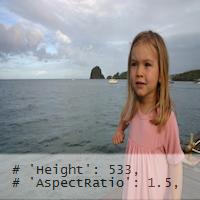 I batch-process-resized some photos in PSP X2, & realized too late (after I had emailed 90 photos off to various relatives) that everyone appeared a little taller & thinner than they normally are. Not so bad right? Except that headshots look a little weird. The photos were taken with different cameras with slightly different aspect ratios.