Archive for the ‘bugs’ Category

Scanning legal-size documents with the Canon MX860 ADF is needlessly complicated

Sunday, July 25th, 2010
Canon MX860: how to scan legal-size documents

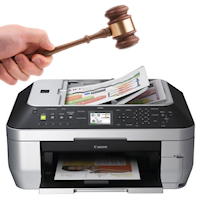
Pound the Canon MX860 repeatedly with a gavel.

You’d think in this day & age of all-in-one printers, you could put a legal-size document in the document feeder (ADF) & scan away. Not so with the Canon MX860.

Out of the box, the MX860′s ADF will scan legal-size documents as a letter-size PDF with the bottom 3 inches cut off. Document length auto-detection with the ADF was apparently too complex for Canon engineers (?!)

Technically the MX860 can scan legal-size paper, but it’s a trick (“trick” meaning pain in the ass) if you typically use the handy buttons on the scanner for everything. Here’s how:

Load up the MX860′s desktop scanning software, which Canon cryptically called “MP Navigator EX” — mine opens up to a wizard-style screen. Select “Stack Of Documents (ADF)”, the click the “Specify…” button on the left-hand side & there you can temporarily change the PDF document size for the next ADF scan.

If you scan legal documents all the time & want to change the settings permanently: Click the “Preferences” button (top/right corner) & switch to the “Scanner Button Settings” tab. Then you can change the document settings for each one-click action. So for instance you could set the “Save to PC” action to scan a legal-size PDF & “Save to PDF” to scan in letter size.

Sounds needlessly complicated? It is, absolutely. Hopefully Canon will add automatic document length detection for the ADF in a future firmware/software update, but I wouldn’t count on it.

(Anyone know if this is fixed with the Canon MX870?)

Continuous Beeping from a Trojan UV Max C4

Friday, April 30th, 2010

Continuous beeping from my Trojan UV Max C4Our Trojan UVMax C4 water purifier started beeping continuously. The install date was April 2009, so it’s been a year — according to the manual, time to replace the UV bulb!

I dutifully ordered a new UV lamp ($90) & installed it. Wiping my hands in smug homeowner anticipation of what was sure to be the return of super clean water for my family, I plugged the C4 power supply back in… green lights all around… but the beeping didn’t stop.

I unplugged the unit, waited a bit, plugged it back in… more beeping. Pulled out the manual. The only mention of the beeping alarm is in the troubleshooting section, which refers you back to the Control Panel section, which has all kinds of useful information about the status lights but absolutely nothing about a beeping alarm.

The manual says there’s supposed to be a model-specific reference card stuck behind the power supply. Sure enough I could see the tab sticking up — I felt a wave of relief, as surely the reference card would have an answer to The Meaning Of The Incessant Beep.

Nope. No mention of an audible alarm whatsoever.

By now I could feel a beeping-induced headache. Putting my hope in the Internet for a solution, I ran upstairs to the computer. Sure enough, the top result had the answer (thanks, Google) — but it wasn’t from the Trojan UVMax website — a random reseller had taken the time to post the answer … Apparently TrojanUV produced defective C4 power supply units between January 2009 – January 2010. Yep, a whole year of defective units. But although they’re now four months into people discovering the problem, there’s nothing about it on their website. No notice, no press release, nothing (or am I just not seeing it?)

The solution is to contact Trojan for a replacement power supply. In the meantime, I’m stuck with choosing between unsafe drinking water or constant beeping.

So in review:

  1. There is nothing the Trojan UV Max manual about what the beeping alarm means,
  2. There is no way to silence the beeping alarm,
  3. The Trojan UV website lacks any information about this year-long manufacturing defect.

Just to make life a little harder, the email link on the Trojan UV Max support website (Viqua) goes nowhere.

I called their customer service line & the rep I spoke with knew about the C4 problem right away. Apparently they had mistakenly installed firmware for the “Plus” version — which have a reset button to silence the alarm — into the “regular” C4 units, which don’t.

I asked the rep if the replacement C4 power supply was shipping via overnight express. He mumbled something to the effect that I should have it “within a day or two”. However it’s been 3 days & I still don’t have the replacement Trojan UV Max C4 power supply, so it’s becoming clear that Trojan doesn’t care enough to ship these via overnight or 2-day mail.

By now I’ve lost count how many ways Trojan UV customer service has completely failed their customers.

Thunderbird ignores Windows’ default printer setting

Wednesday, January 13th, 2010

I bought a new printer, a Canon MX860. As all-in-one printers go, it’s fantastic. Soon it was knighted as my new Windows’ default printer.

Everything was happy in Printerland until I tried to print an email from Thunderbird. Thunderbird kept selecting my old printer — I had left the old printer driver installed — and each time I had to change the printer back to my new Canon. Granted, that’s a pretty minor annoyance, but let enough minor annoyances pass you by & soon they get together & storm the castle.

Turns out Thunderbird stores its own default printer setting & if it’s set, the Windows default printer gets completely ignored. Worse, Thunderbird’s default printer setting is about as hidden as it gets:

  1. Tools menu -> Options -> Advanced tab -> Config Editor button
  2. filter the list by typing “printer” in the Filter box (top of the screen)
  3. find the “print.print_printer” setting (who names these settings, anyway?)
  4. right-click & click “Reset”.

That does the trick!

Prototype mismatch: sub main::head ($) vs none

Thursday, July 9th, 2009

Turns out that when you use the LWP::Simple & CGI modules together in a Perl script, each has a conflicting head() function that throws that error. Who knew? Everyone who didn’t take the time to read the CAVEAT note at the bottom of the LWP::Simple docs, apparently:

Note that if you are using both LWP::Simple and the very popular CGI.pm module, you may be importing a head function from each module, producing a warning like “Prototype mismatch: sub main::head ($) vs none”. Get around this problem by just not importing LWP::Simple’s head function, like so:

use LWP::Simple qw(!head);
use CGI qw(:standard);  # then only CGI.pm defines a head()

Then if you do need LWP::Simple’s head function, you can just call it as LWP::Simple::head($url).

IE6/IE7 form element margin inheritance bug

Thursday, October 26th, 2006

Today I ran across an IE6/7 (and who knows, probably IE5 too) margin inheritance bug, involving block elements with IE’s hasLayout property triggered, that contain certain form elements. This bug appears to have very little online documentation or discussion (UPDATE: now documented by positioniseverything, see links section below).

IE margin inheritance bug

Any side margins (the blue 100px) applied to block-level hasLayout elements will be erroneously inherited (the red 100px) by text, submit, button and textarea fields contained within the block elements. Select boxes, checkboxes & radio buttons are not affected.

Applying margin: 0 to the input or textarea fields has no effect. All your margin are belong to us.

Here is my test page ยป

If your design does not have a border on the block-level element, this bug has the identical visual effect as the well-known IE6 floated element/margin-doubling bug, but the real cause is not the IE6 margin-doubling bug.

I found this issue having just installed IE7, still giddy over the wide array of css fixes. For a few minutes, I thought maybe the IE team had forgotten to fix the float/margin-doubling bug with blockified labels, but no.. this margin inheritance bug is an entirely different beast.

My findings are a little different from the other information I found (at the time of this post, the only existing explanation of this bug I could find was from Paul van Steenoven):

  • it does not matter if the elements are contained in a fieldset
  • input type=”checkbox” and type=”radio” are not affected

The fix / hack

  • wrap your bug-affected input / textarea elements in any inline element, like a span (if you’re okay with that .. I’m not)

Or, if possible:

  • set display: inline on the block-level hasLayout parent element, or similarly, remove the css property that’s triggering hasLayout (width, etc) on the block-level parent element (not possible in most cases)
  • remove side margins on all parent containers of the form element (suggested by Barry Jaspan, who points out this solution also may not be realistic)
  • set an IE-only negative margin on the affected form elements (also from Barry, who agrees with you this is needlessly messy, to the point where CSS purists may start throwing heavy objects)
  • include text on the same line just before the form element (yep, Barry again, nice catch. Not possible if you want the text above the form element.. for example, some text<br /> <input .. /> doesn’t work)
  • any others?

Other sites with information on this bug

Update:

  • Barry Jaspan did a nice writeup, which was later covered by positioniseverything. I’m rather bitter, since I did my writeup about the bug about a month prior. Granted, Barry covered the issue more in-depth, and he also points out that the affected form elements actually inherit the sum of the side-margins of all parent elements, AND provided several more methods to work around the bug.

IE6/IE7 PNG gAMA bug makes PNGs appear darker

Tuesday, October 24th, 2006

IE PNG gAMA bug
The link PNGs appear darker, except for Email A Friend, which has the gAMA chunk removed.

In setting up the new vehicle details page for DDC, I noticed that the background color for the 24-bit PNGs did not match the css background color, but only in IE6.

Searching online, I found this is a known bug with IE that stems from a flawed interpretation of the PNG’s gAMA setting. It’s fantastic that the IE team added PNG alpha transparency to IE7, but apparently they kept the gAMA bug in IE7 to make sure browser compatibility specialists keep their jobs for years to come.

In short, the fix is to remove the gAMA chunk using a tool such as TweakPNG or Pngcrush — I used TweakPNG (freeware, super easy to use, no installer) which worked great for fixing one image at a time. Fun stuff.